My technical library system: 9 years, 300+ books, zero chaos
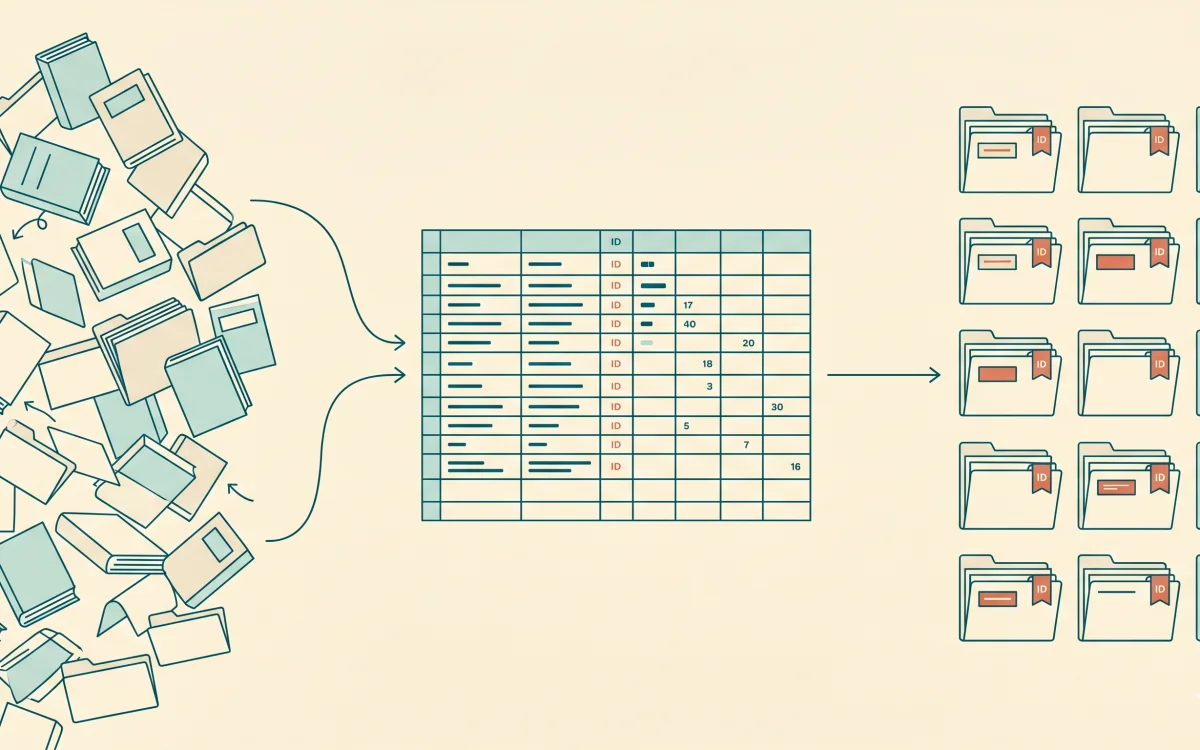
A few years ago I opened my My Books folder and found 340 PDFs. Names like book_1_final(2).pdf and unnamed.pdf. Half of them I couldn't even identify — had I started reading them or not.
Over 9 years in development I've collected more than 300 technical books. And it hit me: if I read them all, I'd be one of the top developers in the world. After that I slowly got to work. Now I know where each one is, what stage it's at, and whether it has a summary. No apps, no subscriptions. A plain spreadsheet and a folder of files.
Downloading a book is easy. Three months later you don't remember the title or whether you ever started it. 300 books dumped in a pile, no table, no structure. You need a specific book — and you can't find it.
Why keep a catalog at all
The idea was to gather the classic, reference-grade books as handbooks. So that later, when I need to go deep on a topic, I open the right book, find the chapter and read it. Plus sometimes I need to hand a couple of books to students on a topic, as extra reading. In other words, I needed my own library — with accessible books and reasonably convenient management.
I also needed to systematize everything and keep it clean: remove duplicates. And most importantly — the summaries. Tie them to the books and find them quickly too.
Over the years I built the library several times and successfully tore it down — because I had no method for keeping it properly. In exactly the form I wanted.
What the system is made of
What I ended up with is a simple system. A Google Sheets table, a Library/ folder with the books, and a folder with summaries. That's it. No apps, services, or syncing. Drop it all on Google Drive — and the library is available from any device. The table gives you search and filters, the folder gives you storage. Each for its own job.
The table
7 columns:
- ID — a number, set once when you add the book and never changed again; the whole system rests on it.
- Priority — High/Medium/Low; I set High only if a book is needed for the current project, otherwise everything becomes High and priority loses its meaning.
- Type — Go, System Design, Productivity, Database, Algorithms.
- Status — Finished / in progress / empty.
- Name — title.
- Author — author.
- Notes — whether there's a summary.
File names
All PDFs live in a single Library/ folder, no subfolders. You have to set this rule from the start, or in a year you'll get chaos of nested folders.
Warning
Pattern: [ID]. [Author] - [Title].pdf
Examples:
12. Steve McConnell - Code Complete.pdf
233. Scott H. Young - Ultralearning.pdf
289. Alex Petrov - Database Internals.pdf
312. Avutzhan Dautov - Go runtime summary.pdf
ID at the front — and files sort themselves by the order they were added. Finding a book by number takes a couple of seconds.
The process itself is simple. Adding a book takes about two minutes: download it, enter it in the table, check the ID, rename, move it into Library/. Once — and the book is in the system forever. To pick what to read — filter Priority=High, Status=empty, choose one, set it to in progress. Done — Status=Finished and a note in Notes.
Summaries
I keep summaries separately, in Library/Summaries/, split by topic: Go/, System Design/, Productivity/, Algorithms/. I save a summary under the same ID as the book and mark it in the registry. This is what your personal library is really about. When you come back to a topic a year later, you don't reread the whole book — you open the summary and in ten minutes recover what once took you a week.
Bottom line. A table plus a folder, every book with its own ID, summaries under the same ID. 9 years, 300+ books, and I know where each one is and what I took from it. Start small. Set up a table, a Library/ folder, add five books you already have. From there it goes on its own.